BETTER PRO
Drop in a track you love. A dynamic processor guides your mix toward its sound, moment by moment, as it plays.
Every premium plugin, our mastering app, our music visualizer and our ear trainers, live masterclasses and feedback on your tracks.
7 days free, then $49/month · Cancel anytime
- Sound like the tracks you love Drop one in, your mix moves toward it.
- Cut, boost, or both With a reference, set each one on its own, so it only does what you want.
- Only where you want it A frequency range you set, the rest untouched.
- See every move Your sound, your reference and each cut and boost, live.
What it does, in detail.
A reference that guides your track
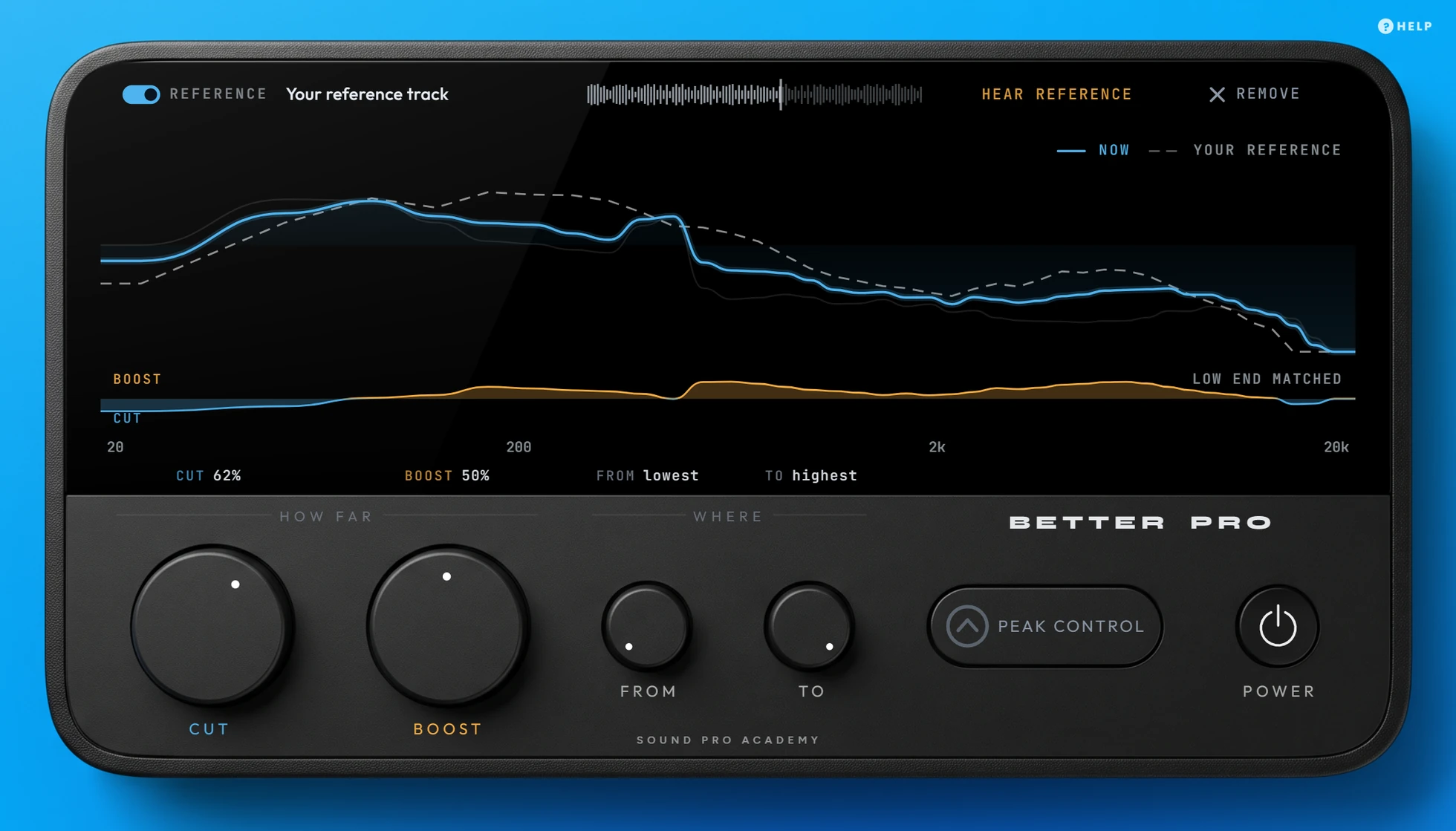
Drop a track you love onto the plugin. As your track plays, a dynamic processor keeps guiding its tonal balance toward that reference. When a sound pokes out, it gets cut harder while it lasts, then the cut eases off, instead of one fixed curve cutting the same amount all the time.
No reference? One knob still does the job
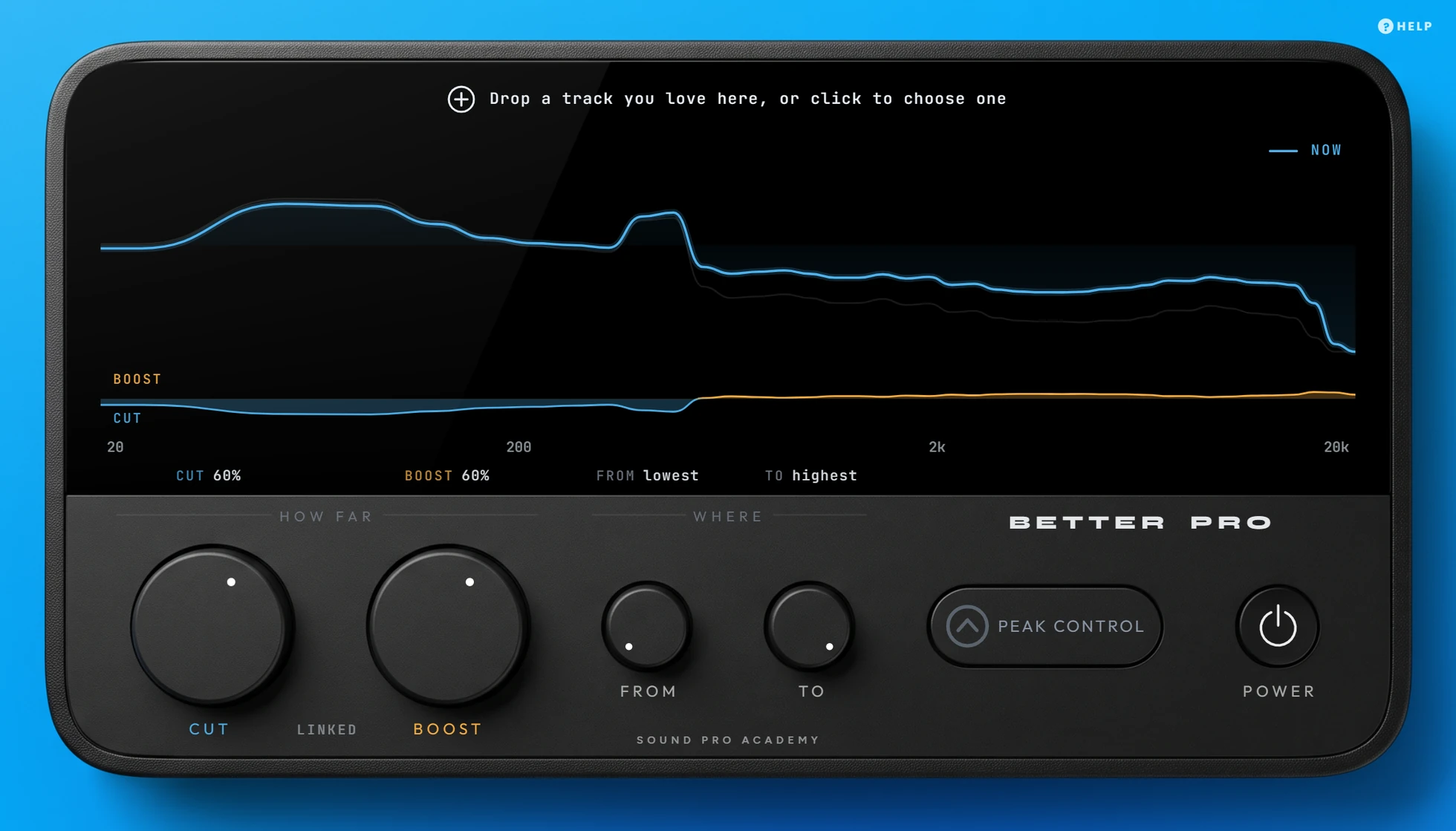
Leave the reference out and it aims for a built-in balance that makes your mix sound cleaner, clearer and wider. CUT and BOOST turn together, so one move sets both.
Cut and boost, apart
With a reference on, CUT only turns down what's too loud and BOOST only lifts what's missing. Set BOOST to 0 to only tame what's too loud. Set CUT to 0 to only fill what's missing.
Work only where it matters
Set FROM and TO, and it only touches the frequencies between them. Set FROM to 200 Hz, for example, and your bass stays as it was.
See every move it makes
Your sound, your reference, and each cut and boost as it happens, so you always know what it's doing to your track.
BETTER PRO vs regular match plugins.
| BETTER PRO | Regular match plugins | |
|---|---|---|
| How it matches | A dynamic processor that reacts as your track plays | One EQ curve, set once |
| When your track changes | It keeps adjusting | The curve stays the same |
| Cut and boost | A knob for each | Usually one amount for both |
| No reference track | Uses its built-in balance | Nothing to match to |
Every control, explained.
Every control
- Reference strip
- Drop a track here or click to choose one. The switch turns it on and off, REMOVE takes it out.
- HEAR REFERENCE
- Plays the reference in place of your track, at about the same level, so you compare by ear.
- CUT
- How far it turns down what's louder than the target (your reference, or the built-in balance), from 0 (nothing) to 100% (all the way).
- BOOST
- How far it lifts what's quieter than the target, from 0 (nothing) to 100% (all the way).
- LINKED
- With no reference, CUT and BOOST turn together. Add a reference and you set each one on its own.
- FROM / TO
- The frequencies it works on. Set them with the knobs, or drag the two lines on the screen.
- PEAK CONTROL
- Stops the changes from pushing your peaks higher than they were.
- POWER
- Fades the processing out and back in, so you can compare your track with and without it.
- Format
- VST3, 64-bit, Windows 10 or later
- Mac
- VST3 + AU, Universal Binary (Apple silicon and Intel), macOS 10.15 or later
- Unlock
- Sign in once inside the plugin, with your membership email
- Computers
- Up to 3 per membership
- Comes with
- The Music Production Mastery membership
Specs
Do I need a reference track?
No. Without one it aims for a built-in balance that makes your mix sound cleaner, clearer and wider. A reference lets you choose the sound yourself.
What makes a good reference?
A finished track in the same style as yours, with a sound you want to get close to. WAV, AIFF, FLAC, MP3 and Ogg files all work.
BETTER PRO, and every premium tool and benefit.
Every premium plugin, our mastering app, our music visualizer and our ear trainers, live masterclasses and feedback on your tracks.
7 days free, then $49/month · Cancel anytime