
- Match the tracks you loveDrop one in. Your mix moves toward it.
- Cut, boost, or bothSet each one on its own.
- See every moveWatch each change live.
BETTER PRO
Drop in a track you love. Your mix moves toward its sound, as it plays.
Early Black Friday price
Lifetime licence: pay once, it’s yours forever.
This offer only lasts 6 more days, so get it now
You’re getting this offer because you downloaded the BETTER PRO beta and helped shape it with your feedback. You get it 1 day before everyone else.
or try it free firstThe offer ends in 00:00:00
- Mac and Windows
- Pay once, yours for life
- Secure checkout
- Download after checkout
Your track, moved toward a track you love.

The real plugin, off and then on, at the same loudness, so you hear the tone change, not the volume.
Hear it on your own tracks. One payment, yours for life.
Matching a track you love: the old way vs BETTER PRO.
By ear
- Play your track, then the reference, back and forth
- Guess which frequencies differ
- Add an EQ and nudge it
- Bounce it and listen again
- Repeat until it sounds close
Slow, and still a guess.
With BETTER PRO
- Drop in a track you love as the reference
- Press play
- Set CUT and BOOST
It keeps guiding your mix toward the reference, moment by moment, as it plays.
Hear the difference on your own tracks.
What it does, in detail.
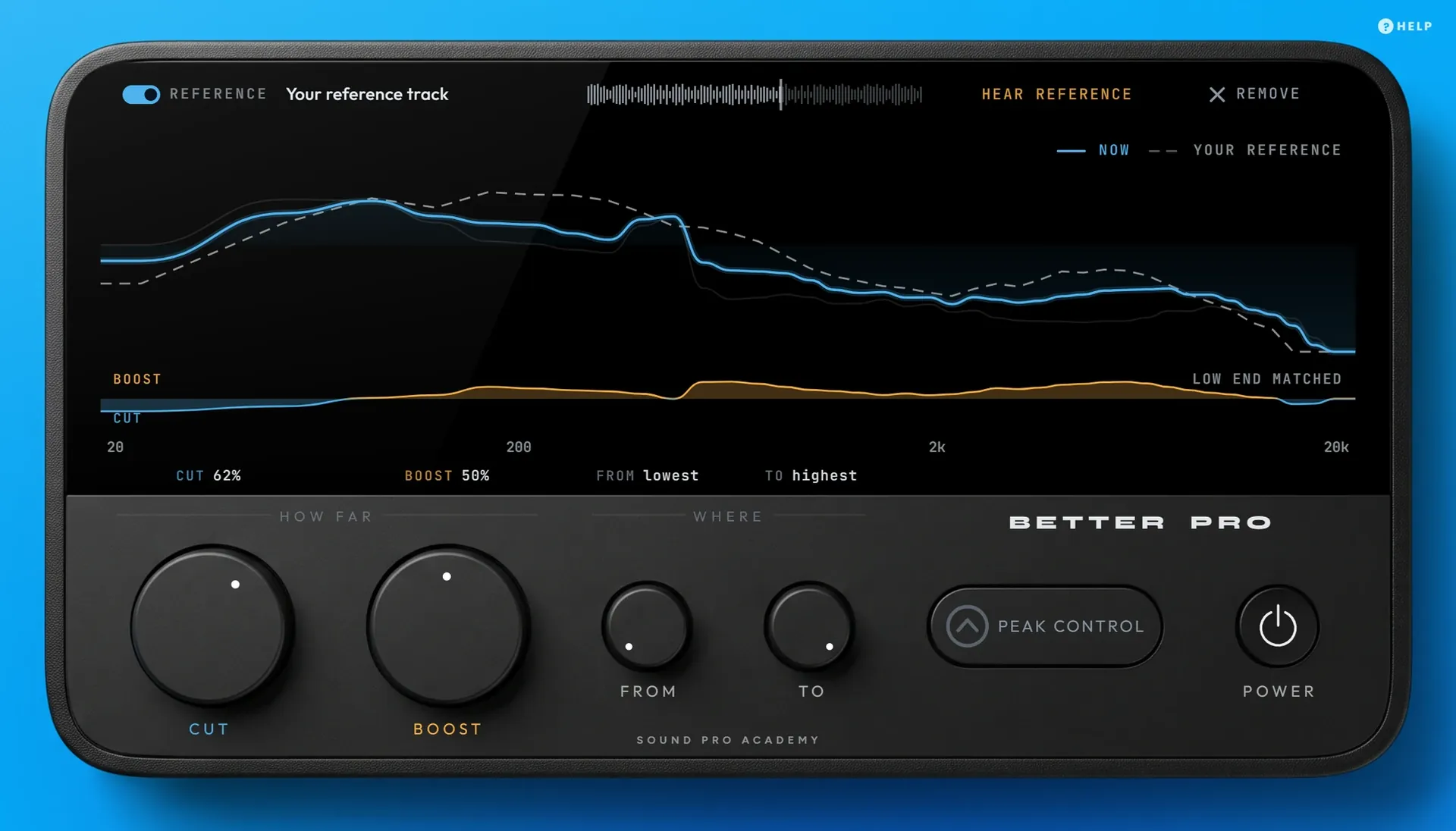
A reference that guides your track
Drop a track you love onto the plugin. As your track plays, a dynamic processor keeps guiding its tonal balance toward that reference. When a sound pokes out, it gets cut harder while it lasts, then the cut eases off, instead of one fixed curve cutting the same amount all the time.
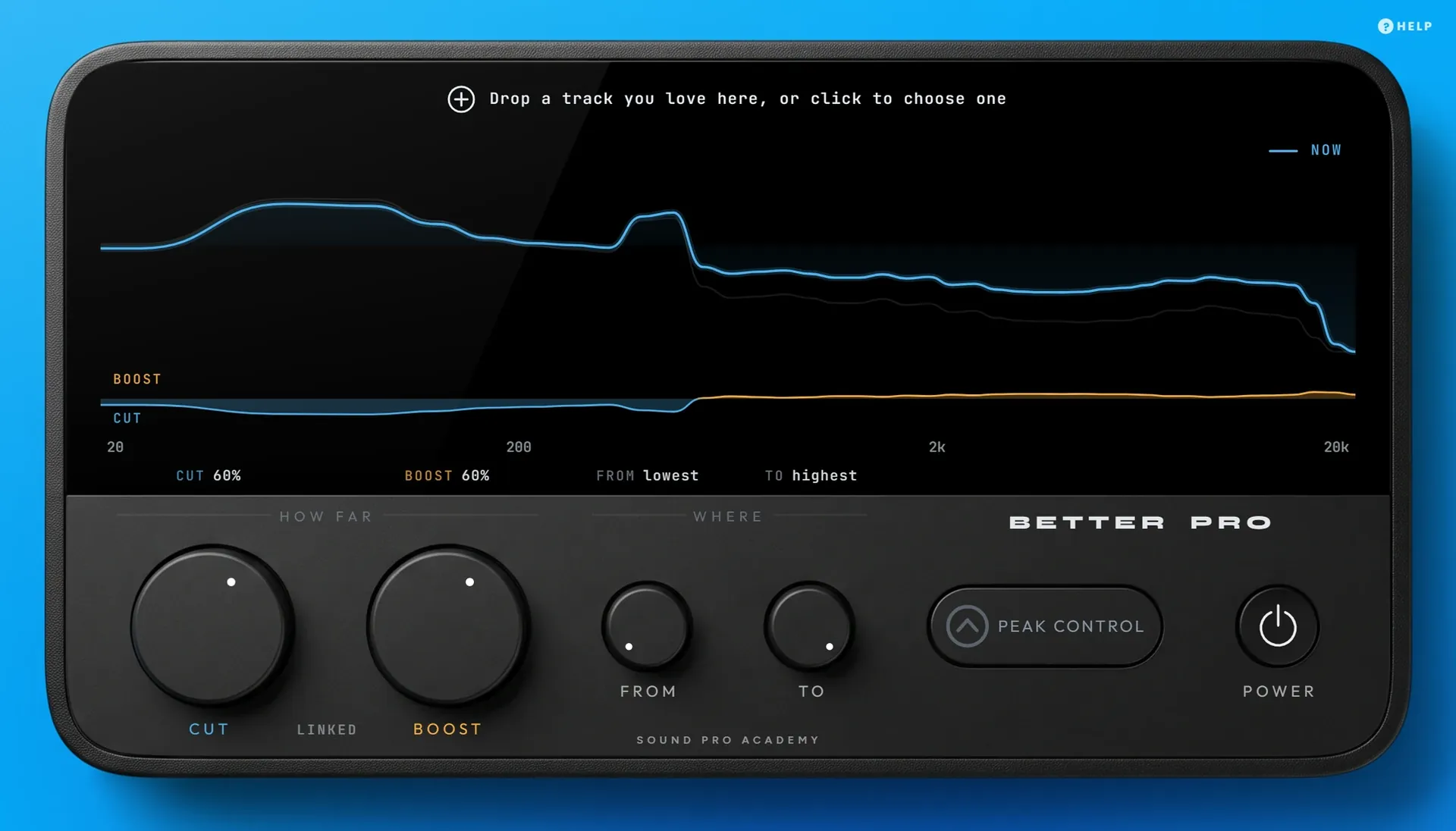
No reference? One knob still does the job
Leave the reference out and it aims for a built-in balance that makes your mix sound cleaner and clearer, and wider as the mud clears. CUT and BOOST turn together, so one move sets both.
Cut and boost, apart
With a reference on, CUT only turns down what's too loud and BOOST only lifts what's missing. Set BOOST to 0 to only tame what's too loud. Set CUT to 0 to only fill what's missing.
Work only where it matters
Set FROM and TO, and it only touches the frequencies between them. Set FROM to 200 Hz, for example, and your bass stays as it was.
See every move it makes
Your sound, your reference, and each cut and boost as it happens, so you always know what it's doing to your track.
Every feature included. One payment, yours for life.
BETTER PRO vs regular match plugins.
| BETTER PRO | Regular match plugins | |
|---|---|---|
| How it matches | A dynamic processor that reacts as your track plays | One EQ curve, set once |
| When your track changes | It keeps adjusting | The curve stays the same |
| Cut and boost | A knob for each | Usually one amount for both |
| No reference track | Uses its built-in balance | Nothing to match to |
One payment. No subscription.
Every control, explained.
Every control
- Reference strip
- Drop a track here or click to choose one. The switch turns it on and off, REMOVE takes it out.
- HEAR REFERENCE
- Plays the reference in place of your track, at about the same level, so you compare by ear.
- CUT
- How far it turns down what's louder than the target (your reference, or the built-in balance), from 0 (nothing) to 100% (all the way).
- BOOST
- How far it lifts what's quieter than the target, from 0 (nothing) to 100% (all the way).
- LINKED
- With no reference, CUT and BOOST turn together. Add a reference and you set each one on its own.
- FROM / TO
- The frequencies it works on. Set them with the knobs, or drag the two lines on the screen.
- PEAK CONTROL
- Stops the changes from pushing your peaks higher than they were.
- POWER
- Fades the processing out and back in, so you can compare your track with and without it.
- Format
- VST3, 64-bit, Windows 10 or later
- Mac
- VST3 + AU, Universal Binary (Apple silicon and Intel), macOS 10.15 or later
- Unlock
- Sign in once inside the plugin, with the email you buy with
- Licence
- One payment, yours for life
Specs
Do I need a reference track?
No. Without one it aims for a built-in balance that makes your mix sound cleaner and clearer, and wider as the mud clears. A reference lets you choose the sound yourself.
Which email do I sign in with?
The email you buy with. Your licence goes to it, so use the email you already sign in to Sound Pro Academy with. Open BETTER PRO and sign in once. No password yet? Click "Forgot your password or email?" in the plugin and we email you a code.
Does it run on Mac?
Yes. You get the Mac and the Windows version after checkout.
Is it a subscription?
No. You pay once and BETTER PRO is yours for life, and updates within the version you buy (1.x) are free.
Every purchase comes with.
- Windows and Mac versionsBoth, in one purchase.
- Every feature, nothing lockedNo extra tier to unlock.
- Yours for lifeOne payment. No subscription.
- Download after checkoutWith the sign-in steps.
Get BETTER PRO, yours for life.
One payment. For Windows and Mac. Your download and sign-in steps come after checkout.
- Mac and Windows
- Pay once, yours for life
- Secure checkout
- Download after checkout
Questions? Contact us · Terms · Privacy