HUGE PRO
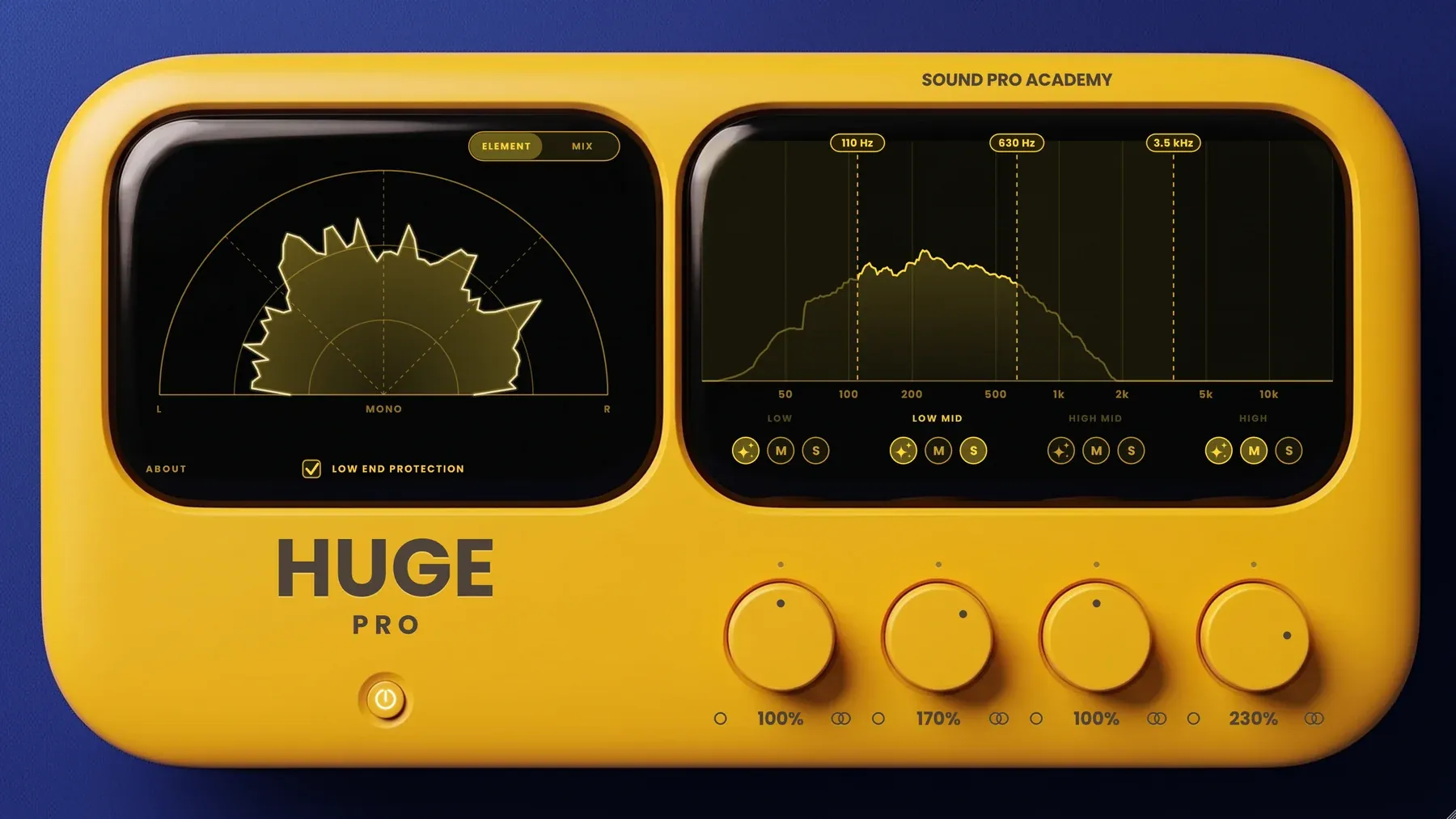
Ultimate control for pro-level width and a natural sound: four independent bands.
Every premium plugin, the full Auto-Mastering, Visual Hero and ear trainers, live masterclasses and feedback on your tracks.
7 days free, then $49/month · Cancel anytime
- Wide like the songs you love So your tracks stop sounding narrow.
- Natural sound Our own algorithm makes a sound wide without changing its character.
- Four adjustable bands, four widths So you shape your sound exactly the way your track needs it.
- Two modes ELEMENT for single sounds, MIX for full tracks, so each gets the right width.
What it does, in detail.
Wide like the songs you love, still natural
Your sound opens up the way it does on a record, without the phasey, hollow sound of a cheap widener. The mono image stays untouched, so it still hits on big speakers or a phone.

Two modes, one for sounds, one for mixes
ELEMENT is voiced for a single sound, like a synth, a pad or a vocal. MIX is voiced for a full track or a bus. Each mode remembers its own settings, so you switch without losing your work.
Stereo out of a mono sound
We built our own algorithm to turn a mono sound stereo and keep it natural: it's the heart of HUGE PRO. BLOOM adds stereo to a band that is mono or nearly mono, like a mono synth or a vocal. Unlike many wideners, it adds no metallic texture and no phasey sound, as long as you don't push it past what the sound can take.
A low end that stays solid
Switch on LOW END PROTECTION and the widening stays out of the bass, so your low end stays punchy and centred. Leave it off when you want the whole sound wide.
A width for every band
Four AMOUNT knobs, one per band, from 0% (mono) through 100% (untouched) up to 300%. So you tweak the sound exactly how you want it.
Bands where your sound needs them
Drag the three crossovers right on the live spectrum and watch where each band sits. So the width lands on the part you want wider, not on the whole sound.

Hear each band on its own
S solos a band, M mutes it, and you can solo more than one at a time. So you hear exactly what each band adds before you widen it.
HUGE PRO vs a typical widener.
| HUGE PRO | A typical widener | |
|---|---|---|
| Width that stays natural in mono | Yes, the mono image is untouched | Often phasey or hollow on a phone |
| Stereo out of a mono sound | BLOOM, our own algorithm | Often a metallic, chorus-like sound |
| A width for each part of the sound | Four bands, crossovers you drag | Usually one knob for the whole sound |
| Low end kept centred | LOW END PROTECTION, on or off | Not always |
| Voiced for sounds and for mixes | ELEMENT and MIX modes | One voicing |
| Hear one band alone | Solo and mute per band | Rarely |
Every control, explained.
Every control
- AMOUNT (x4)
- Width of each band, from mono to 300%.
- Crossovers (x3)
- Drag them on the screen.
- BLOOM
- Stereo out of a mono sound, per band.
- M / S
- Mute or solo a band.
- LOW END PROTECTION
- Keeps the bass solid in the middle.
- ELEMENT / MIX
- Voiced for one sound, or for a whole track.
- Vectorscope
- Shows the result live.
- Format
- VST3, 64-bit, Windows 10 or later
- Mac
- VST3 + AU, Universal Binary (Apple silicon and Intel), macOS 10.13 or later
- Unlock
- Sign in once inside the plugin, with your community email
- Computers
- Up to 3 per membership
- Comes with
- The Music Production Mastery membership
Specs
Does it sound like HUGE?
Yes. Each band runs HUGE's own algorithm. With all four bands at the same setting it matches HUGE.
How do I unlock it?
Sign in once inside the plugin with the email you use in the community. One membership covers up to 3 computers.
HUGE PRO, and every premium tool and benefit.
Every premium plugin, the full Auto-Mastering, Visual Hero and ear trainers, live masterclasses and feedback on your tracks.
7 days free, then $49/month · Cancel anytime